
5 Ways for Android Users To Save Money on Mobile Data
With the new normal of working and learning from home, many of us have seen our mobile data costs soar. While data costs have fallen in recent years, mobile data is still pricy and it’s important to use it wisely to keep your budget under control. Alcatel provides tips to help you save on data.
Use Wi-Fi when you can
Rather than using up the mobile data on your SIM card, try to make use of Wi-Fi on your campus, at your workplace or at the coffee shop for your online needs as far as possible. With fiber networks so widely available, it’s easier than ever to find public Wi-Fi access, and it’s usually cheaper than paying for mobile data. When you have access to unlimited data from a hotspot, you can take the opportunity to download music, films and apps, rather than using up your data.
Set mobile data usage warnings
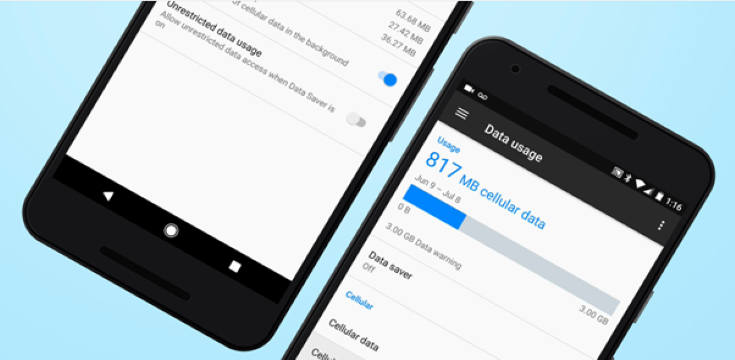
To make sure that you’re not using too much data on your data plan, you can check and change your data usage on your Android device. You can check your mobile data usage under Network & Internet and then Data Usage in your settings app. You can also set alerts warning you about data usage limits by following these steps:
- Open your phone’s Settings app.
- Tap Network & Internet and then Data Usage.
- Tap Mobile Data Usage and then Settings .
- Tap Data Warning. If needed, first turn on Set Data Warning.
- Enter a number. To switch between megabytes (MB) and gigabytes (GB), tap the Down arrow.
- Tap Set.
Use ‘lite’ apps rather than the full-fat versions
Many of your favourite apps are data hogs, designed for countries where data isn’t as expensive as it is in South Africa. But many platforms also offer lightweight versions of their Android apps that use less data, RAM and battery life than the mainstream version. For instance, the Google Go versions of Maps, Gmail, YouTube, Chrome and other popular Google apps are faster to download, use less space on your phone and eat less data. Facebook Lite, Facebook Messenger Lite, LinkedIn Lite, Spotify Lite and Opera Mini are also worth a look.
Set apps to update only over Wi-Fi
If you’re burning a lot of data, check that your apps are not downloading big updates via mobile data. To automatically update apps on your Android device:
- Open the Google Play Store app.
- Tap Menu and then Settings.
- Tap Auto-update apps.
- Ensure apps are set to update only when connected to Wi-Fi.
Switch mobile data off when you don’t need it
A good way to save money on mobile data is simply to switch it off when you don’t need it. That way, you’ll not be tempted to burn data on YouTube or social media for no good reason, and you’ll also be able to stop apps from using up a lot of data in the background.
For more visit: www.alcatelmobile.com